
Sandbook for Mac · Apple silicon
Text to speech on your Mac
Sandbook is a free text-to-speech app for Mac. It reads books, PDFs, Word documents, web pages and your own text aloud in 41 natural voices, made on the Mac itself, so it works offline. No account, no subscription, no in-app purchase. It needs a Mac with Apple silicon (M1 or later) and macOS 15.2 or later.
Free · macOS 15.2 or later · Apple silicon (M1 or later) · About 226 MB · No account
In short
Is there a free text-to-speech app for Mac that works offline?
Sandbook is a native Mac app that reads EPUB, PDF, Word, TXT, RTF, Markdown and HTML files, web pages and typed text aloud in 41 natural voices in six languages. The voices are made by the Kokoro-82M model on the Mac's GPU, so listening needs no internet connection and nothing you read is uploaded. It is free, with no in-app purchase, subscription, ads or account. It needs Apple silicon (M1 or later) and macOS 15.2 or later.
Last verified October 23, 2026
A Mac app, not an iPad app on a Mac
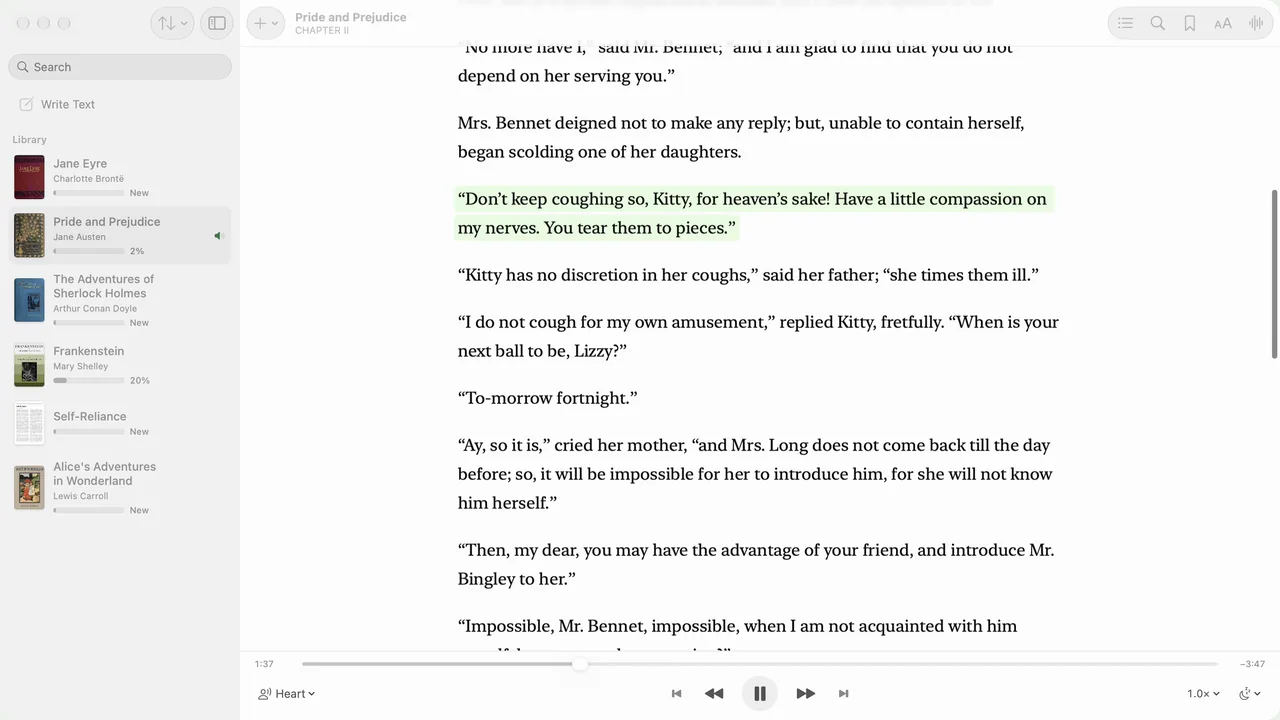
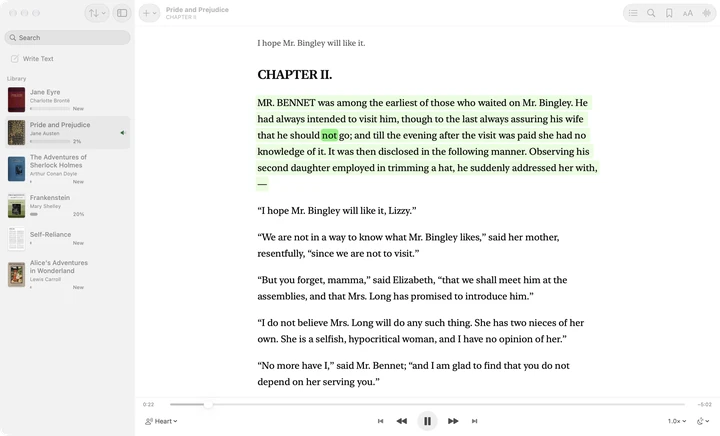
Sandbook for Mac has a real Mac window: your library in the sidebar with covers, progress, sorting and search, the book beside it, the player along the bottom, and every command in the menu bar. It is the same App Store listing as the iPhone and iPad app, so one download covers all three, and it is free on each.
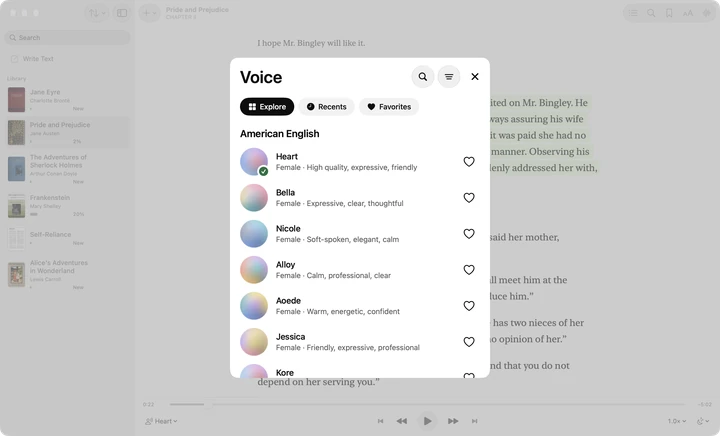
The voices come from Kokoro-82M, an open-weight text-to-speech model, running on the Mac's GPU through Apple MLX. The model and all 41 voices are inside the app (about 226 MB from the Mac App Store), so there is nothing else to download and nothing to sign in to. US and UK English, Spanish, French, Italian, Brazilian Portuguese and Hindi; a book in one of those languages opens with a voice in its language.
- Mac: Apple silicon, M1 or later. Intel Macs are not supported.
- macOS: 15.2 or later.
- Price: free. No in-app purchase, no subscription, no ads, no account.
Getting text in
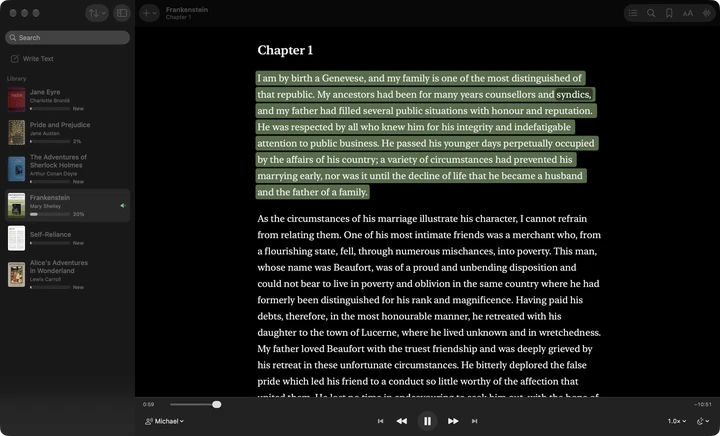
- Drag and drop. Drop files onto the window, or choose File › Import… (⌘O). EPUB, PDF, Word (.docx), TXT, RTF, Markdown and HTML are read.
- From Finder. Right-click a document, choose Open With and pick Sandbook.
- Web pages. Paste or drop a link, or choose File › Add Web Page… (⇧⌘L), and the article is saved to your library. More on the web page to speech page.
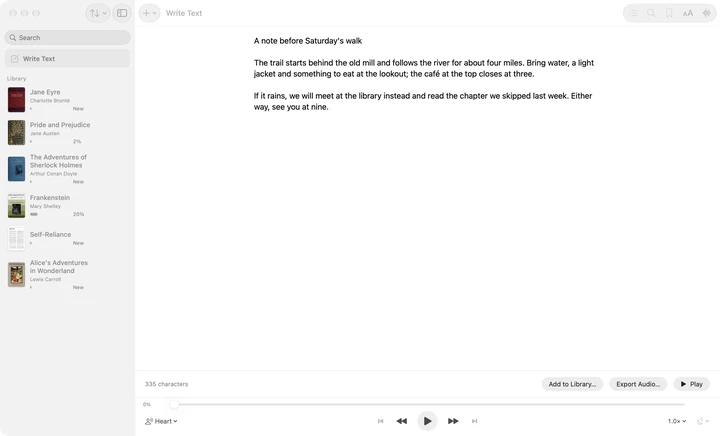
- Write Text. The first row of the sidebar, or File › New Text (⌘N): type or paste anything and hear it at once. The draft is kept between launches, and you can add it to the library as a book.
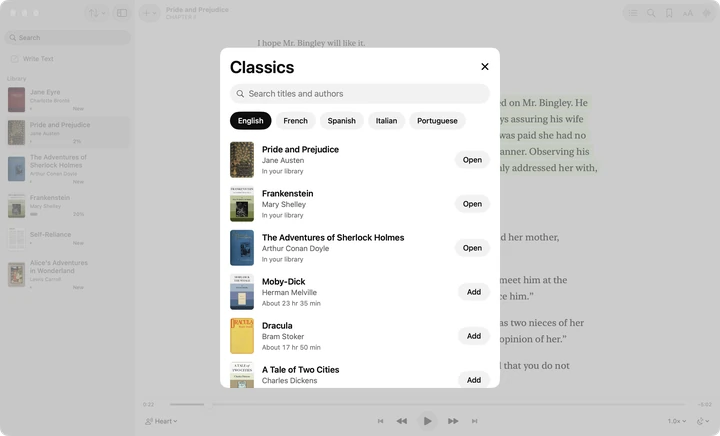
- Classics. File › Browse Classics… (⇧⌘K) opens a shelf of public-domain books in English, French, Spanish, Italian and Portuguese, ready to listen to.
A PDF needs a text layer. A PDF with real text is read cleanly; a scanned PDF that is only pictures of pages has nothing to read, because the Mac app does not recognize text in images.
Reading and listening
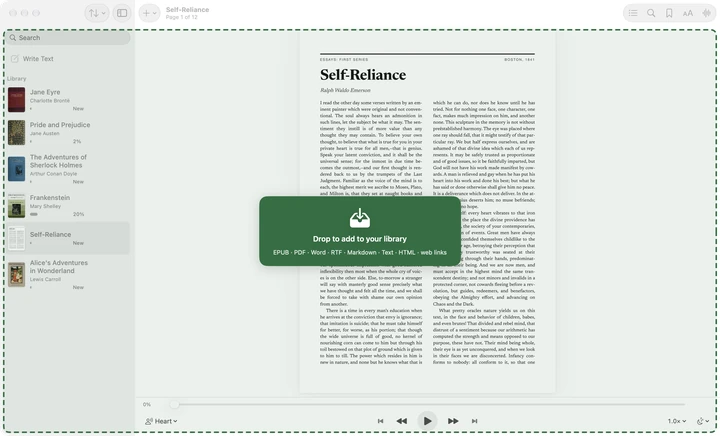
Press Space and the book is read from the paragraph where you stopped. Each word is highlighted as it is spoken; in a PDF, the sentence being read is highlighted on the page itself, and you can click any sentence to read from there. Speed runs from 0.5× to 2.5×, and each book remembers its voice and speed.
Sandbook keeps reading when it is in the background or its window is closed, so you can work in another app and listen. Playback shows in Now Playing in Control Center.
- Sleep timer: stop after a set time or at the end of the chapter.
- Bookmarks, contents and search inside every book.
- Reading options: light, sepia and dark themes, fonts, text size and line spacing.
Save a chapter as an M4A file
File › Export Chapter Audio… (⇧⌘E) renders the open chapter, or the open PDF page, to an M4A file you can play anywhere. In Write Text the same shortcut exports what you typed or pasted. The audio is made on the Mac, like the reading.
There is no whole-book export: one chapter, one PDF page or one text at a time.
Keyboard shortcuts
Every command is in the menu bar (File, View and Playback), and the reader answers to the keys below. In a text field, Space and the arrow keys type as usual.
| Keys | What it does |
|---|---|
| Space | Play or pause |
| ← / → | Previous or next paragraph |
| ⌘← / ⌘→ | Previous or next chapter |
| ⌘[ / ⌘] | Slower or faster, in steps of 0.1× |
| ⌥⌘V | Choose a voice |
| ⌘F | Search in the book |
| ⌘D | Add or remove a bookmark |
| ⇧⌘B / ⇧⌘C | Bookmarks / contents |
| ⌘+ / ⌘− / ⌘0 | Bigger, smaller or actual text size |
| ⌘T | Reading options |
| ⌘N | Write Text: type or paste |
| ⌘O | Import files |
| ⇧⌘L / ⇧⌘K | Add a web page / browse the classics |
| ⇧⌘E | Export the chapter, PDF page or text as M4A |
Accessibility
Sandbook works with VoiceOver and with Full Keyboard Access, and every control can be reached from the menu bar or a shortcut. Text size, line spacing and a sepia or dark theme are a keystroke away, and the word being spoken is highlighted so you can follow it. People who find dense print hard going may want the page on text to speech for dyslexia.
What the Mac app does not do
- No scanning. The Mac app has no camera or photo scanning and does not read text in images. Scanning printed pages is on iPhone and iPad.
- No sync between iPhone and Mac. Your library, reading positions and bookmarks stay on each device.
- No Share extension, Siri or Shortcuts on the Mac.
- Apple silicon only. It needs an M1 or later and macOS 15.2 or later; there is no Intel version. On an Intel Mac, try the voices in the browser with Kokoro TTS online.
- No whole-book audio export. Export works one chapter, PDF page or text at a time.
Sandbook or the Mac's built-in Speak selection
Every Mac can already read text aloud. In System Settings › Accessibility › Read & Speak (Spoken Content on older versions of macOS), turn on Speak selection; then select text in almost any app and press Option-Esc. It can highlight words, sentences or both, an onscreen controller changes the speed and skips ahead, and more system voices can be downloaded from Manage Voices. It costs nothing, needs no install, and works on Intel Macs too. For a paragraph in an email or a web page, it is the quicker route.
Sandbook is for longer reading: a library that keeps your place in each book, chapters, bookmarks, a sleep timer, M4A export and the Kokoro voices. Many people will use both.
| Sandbook | macOS Speak selection | |
|---|---|---|
| What it reads | Its own library: files, web pages, classics and Write Text | The text you select, in almost any app |
| How you start | Open a book and press Space | Select text and press Option-Esc |
| Long books | Opens at the paragraph where you stopped, with chapters, bookmarks and a sleep timer | Reads the selection; nothing keeps your place |
| Highlighting | Each word; in a PDF, the sentence on the page | Words, sentences or both, in colours you choose |
| Voices | 41 Kokoro voices in six languages | The macOS system voices, more from Manage Voices |
| Save as audio | M4A: a chapter, a PDF page or your text | Not part of Speak selection |
| Which Macs | Apple silicon (M1 or later), macOS 15.2 or later | Every Mac, built into macOS |
| Install | About 226 MB from the Mac App Store | Nothing to install |
Source: Have your Mac speak text that's on the screen (Apple). The iPhone side of this question is on the Speak Screen alternative page.
Questions about Sandbook for Mac
Is it the same app as Sandbook on iPhone and iPad?
It is the same App Store listing, so one free download covers iPhone, iPad and Mac. On the Mac it is a native Mac app, with its own window, sidebar, menus and keyboard shortcuts, not the iPad app running on a Mac. The voices, the Kokoro model and the way a book is read are the same.
Does Sandbook run on an Intel Mac?
No. It needs a Mac with Apple silicon (M1 or later) and macOS 15.2 or later, because the voice model runs on the Apple silicon GPU through Apple MLX. On an Intel Mac, the free Kokoro TTS online tool on this site runs the same voices in a browser tab, more slowly.
Do my books and reading positions sync between iPhone and Mac?
No. There is no sync: the library, reading positions and bookmarks stay on each device. To listen to the same book on both, import the file on each one.
Does it work offline?
Yes. The voices are generated on your Mac, so listening needs no internet connection, and the text you read is never uploaded. You need a connection to add a web page or to download a classic.
How much does it cost?
Nothing. Sandbook is free on the Mac App Store, with no in-app purchase, no subscription, no ads and no account. All 41 voices are there from the first launch.
Is there a Kokoro TTS app for Mac?
Yes. Sandbook runs Kokoro-82M natively on the Mac's GPU through Apple MLX, with all 41 voices built in. Import a book or type some text and it is spoken on the Mac, with no Python, no server and no command line.
Can I turn a whole book into an audiobook file?
Not in one step. Sandbook exports one chapter, one PDF page or your Write Text at a time as an M4A file (Shift-Command-E). To keep a whole book as audio, export it chapter by chapter.
Listen on your Mac tonight
Drag in a book or paste some text, press Space, and Sandbook reads it aloud in a natural voice made on your Mac. Free, with no account and no subscription.
Free · macOS 15.2 or later · Apple silicon (M1 or later)