
Sandbook · free text-to-speech reader
Listen to any book, PDF or article in natural voices
Sandbook reads your books, PDFs, web articles and scanned pages aloud, free. Read in your browser, or keep whole books on your iPhone and iPad, where everything works offline. Choose from 41 voices in English, Spanish, French, Italian, Brazilian Portuguese and Hindi, made by Kokoro, an open neural speech model that runs on your device, and follow each word as it is spoken. Your books, documents and text stay on your device.
Free · No account · iPhone & iPad · iOS 18.2 or later
Before you install
- Real-time reading pauses when the screen locks. To listen with the screen off, prepare the chapter's audio first.
- Needs iOS 18.2 and an iPhone 12 or later, or an iPad with an A14 or M1 chip or later.
- No MOBI or iCloud sync, and no Android version.
Read almost anything
Whether you want books read aloud or a web page, a printed page or your own text heard, it all ends up in the same reader, with the same voices and the same word-by-word highlighting, and none of it is metered, because this is free text to speech with no character cap.
Not on your iPhone right now? The same voices read in your browser, free: read text aloud, open an EPUB online, read a PDF aloud or hear your essay read back.
Books and documents: EPUB, PDF, Word, TXT, RTF, Markdown and HTML
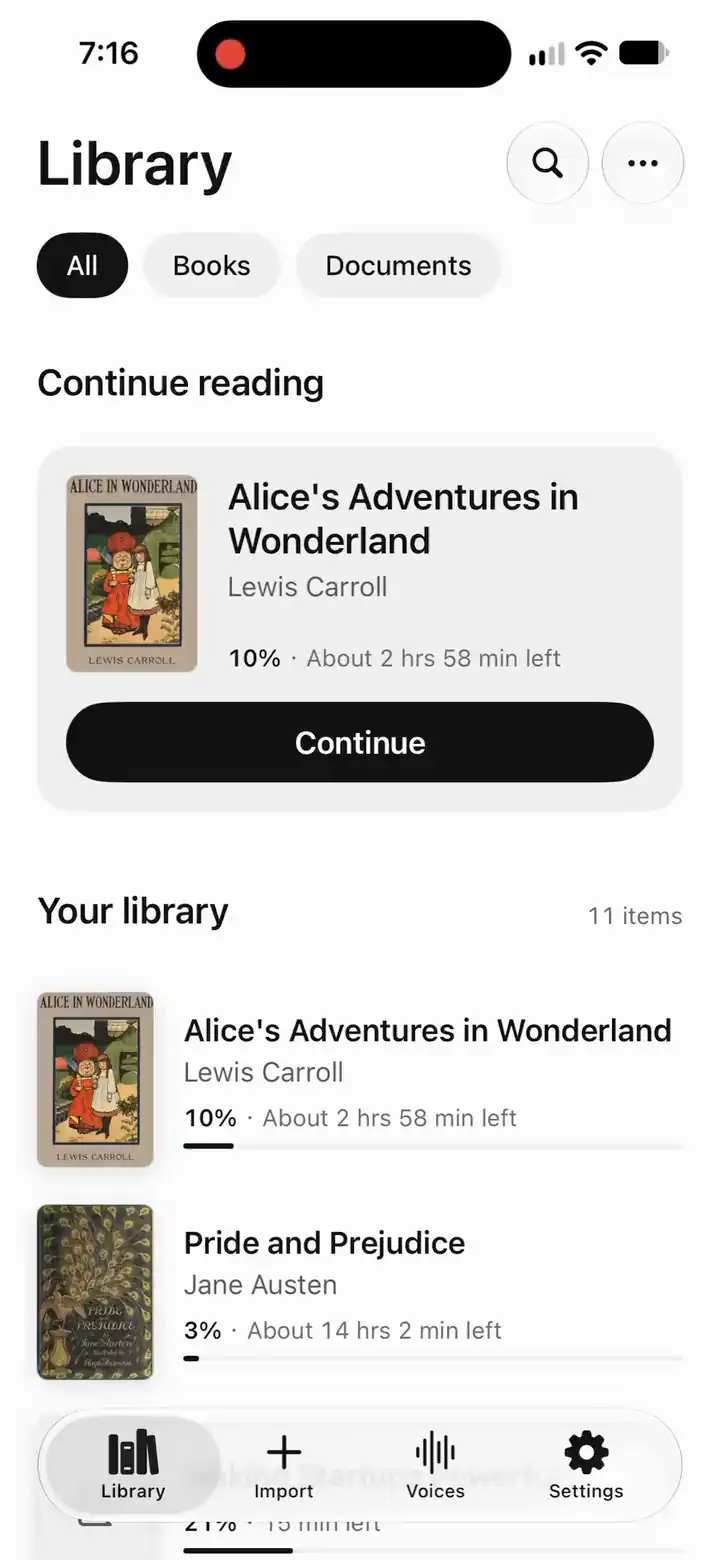
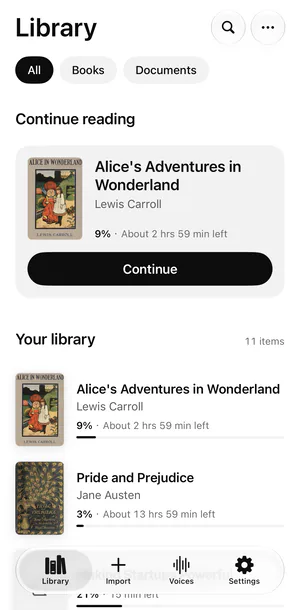
Add them from Files, use Open With from Mail or iCloud Drive, or share them from any app. Your library shows the real cover, the author, how far you are and the time left, and a Continue reading card takes you back to the paragraph where you stopped. Each book is copied into the app, so it keeps working after you move or delete the original. A new install starts with a public-domain classic, Alice's Adventures in Wonderland, whose opening plays at once.
EPUB to speech, chapter by chapter · PDF to speech, and the line breaks it repairs · Word documents read aloud
Web pages: paste a link, or share from Safari
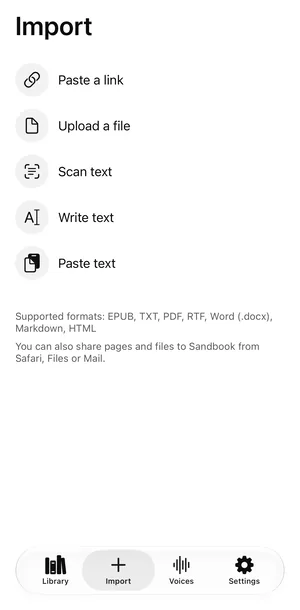
On the Import page, choose Paste a link, or share a page from Safari. Sandbook keeps the article, with its title, author and site, and leaves the menus, ads and cookie banners behind. Once it is in your library, it reads offline like any other book.
Printed pages and photos
Scan Pages uses the camera, up to 200 pages per scan, and From Photo reads a picture or a screenshot. The text is recognized on your iPhone, one chapter per page, and read aloud like a book.
Anything you type or copy
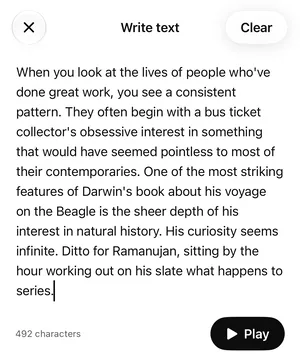
Type or paste into Write text, or tap Paste text to hear your clipboard at once, and save it to your library: a draft you want to hear back, a long email, a chunk of documentation. From here you can also export the result as an M4A audio file through the iOS share sheet.
Powered by Kokoro, on your device
The voice you hear is Kokoro-82M, an open-weight neural text-to-speech model. Sandbook ships the whole model and all 41 voices inside the app (the download is about 281 MB) and runs them through Apple MLX on your device, so there is no model to download and no server doing the work. Output is 24 kHz audio, generated sentence by sentence: playback starts after the first sentence while the next ones render ahead. A passage you have already heard, in the same voice and at the same speed, plays back instantly from the device instead of being generated again. Speed from 0.5× to 2.5× is applied inside the model, by scaling predicted phoneme durations rather than resampling the waveform, so a fast read still sounds like a person.
How Kokoro TTS runs on an iPhone · What offline text to speech actually means
41 voices, six languages, all included
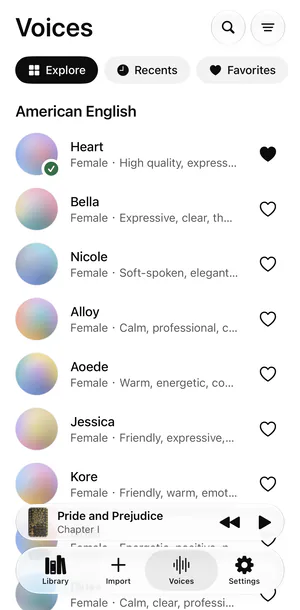
Twenty American and eight British English voices, 28 voices in English in all, plus Spanish, French, Italian, Brazilian Portuguese and Hindi. Tap any voice to hear it before you choose it, tap the heart to keep it in Favorites, and give each book its own voice and speed. The app itself is available in English, Spanish, French, Italian, Portuguese (Brazil) and Hindi. Nothing is locked, because there is nothing to unlock. On a computer, you can hear any of them read your own sentence in the browser.
- Heart · US EnglishHigh quality, expressive, friendly
- Michael · US EnglishRaspy, warm, slow
- Alice · UK EnglishElegant, clear, cultured
- George · UK EnglishDignified, steady, formal
- Dora · SpanishWarm, clear, conversational
- Siwis · FrenchBright, articulate, precise
- Sara · ItalianLively, warm, melodic
- Alex · Brazilian PortugueseEven, natural, unhurried
- Alpha · HindiClear, steady, neutral
- Omega · HindiWarm, grounded, deliberate
Sandbook in your language: Español · Français · Italiano · Português (Brasil) · हिन्दी
Follow every word
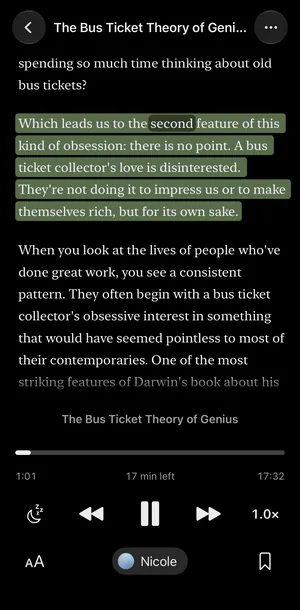
The paragraph being read is softly tinted, and the word being spoken is marked as you listen. Tap any paragraph to read from there. Sandbook opens each book at the paragraph where you stopped, and if you scroll away, “Back to current” brings you back. The reader also has bookmarks, search inside the book and a sleep timer (a set time, or the end of the chapter), and when you leave the book it keeps playing in a mini player at the bottom of the screen.
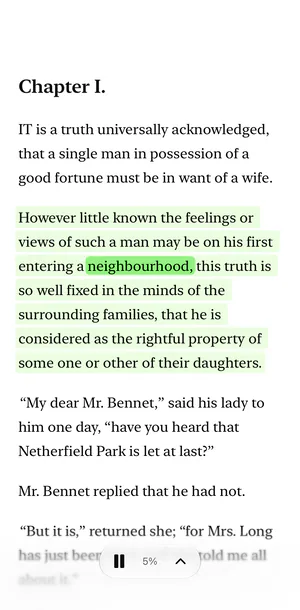
Make the page yours
Light, sepia and dark themes, or follow the system. Five fonts, including Legible for easier reading, plus text size and line spacing on top of your system text size. Hide the controls for an immersive page, or keep them visible.
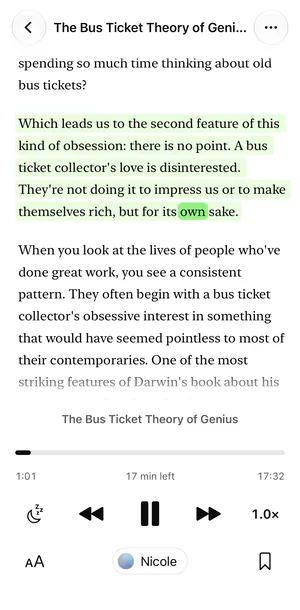
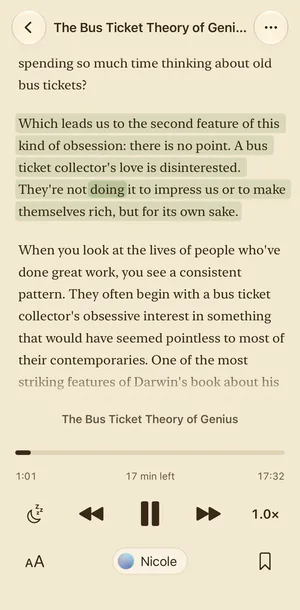
The same page in Light, Sepia and Dark.
Listen with the screen locked
Prepare a chapter's audio ahead of time. Sandbook shows the progress and time left, then keeps playing with the screen locked, with 15-second skip and the chapter on your lock screen. Real-time reading pauses when the screen locks, because the voice is generated on your iPhone.
How to listen with the screen locked, step by step
Built to work with VoiceOver, Voice Control and Switch Control
Sandbook works with VoiceOver, Voice Control and Switch Control, and supports larger text and Increase Contrast:
- Magic Tap plays and pauses.
- “Go to current paragraph” jumps straight to where you are.
- Speed and chapter controls are adjustable.
- Every voice reads as one item, with play and favorite actions.
- Highlights and accents gain contrast when you turn on Increase Contrast or Differentiate Without Color.
- Layouts reflow at the largest text sizes.
If you use none of these settings, nothing looks different. Tell us what does not work: [email protected].
Your books stay on your iPhone
The voice is generated on your device, so your books, documents and text stay on your device and are never uploaded. There is no account and no ads.
Your books are copied into the app's own sandbox; your place in each one, its voice and speed, and your favorite voices live on the device. The camera is used only while you scan pages, and the text recognition happens on the device too. When you add a web page, Sandbook fetches it directly from the site that hosts it.
What stays on your iPhone · Read the privacy policy · Why offline matters here
How it compares
Against the subscription readers, Sandbook wins on the things that come from running the model locally: it is free, it needs no account, and it keeps working in airplane mode. They win on the things that come from running it in a data center: dozens of languages against Sandbook's six, and a whole book playing on with the screen locked. Sandbook's real-time reading pauses when the screen locks, and it has no iCloud sync.
The row-by-row versions: Speechify, NaturalReader, Voice Dream Reader, ElevenReader and Apple's own Speak Screen — or the whole field at once in the offline text-to-speech alternatives roundup.
From the blog
Four pieces of homework, published rather than summarized: what the model is, which apps on the App Store actually run it, what “free” turns out to mean once you read the in-app purchase list, and which iPhones are old enough to be a problem.
- Every Kokoro TTS app on the iPhone App Store
Nine iPhone apps run Kokoro-82M on the device, not three. Prices, downloads, device floors and honest limits, read off every App Store listing.
- Free iPhone text to speech, and where free stops
Five ways a free iPhone text-to-speech app stops being free — characters, hours, voices, books and the turnstile — with every figure and its source.
- Neural text to speech on older iPhones: what each app asks for
Three gates decide whether a neural reader installs on an older iPhone: the iOS version, the chip and the memory. What each app asks for, and why.
- How Kokoro-82M runs on an iPhone with Apple MLX
Kokoro-82M runs on the Apple silicon GPU through MLX — not the Neural Engine, not Core ML. The pipeline stage by stage, and what that choice costs.
Questions worth asking first
Can Sandbook read with the screen locked?
Yes, if you prepare the chapter first. Tap the ⋯ menu, then Prepare chapter for lock screen, and Sandbook renders that chapter's audio with a progress bar and the time left. After that it plays with the screen locked, like a podcast, with 15-second skip and the chapter on your lock screen. Real-time reading pauses when the screen locks, because the voice is generated on your iPhone's GPU and iOS does not allow that in the background.
Which languages does Sandbook speak?
American and British English (28 voices), Spanish (3), French (1), Italian (2), Brazilian Portuguese (3) and Hindi (4): 41 voices in all. A Spanish, French, Italian, Portuguese or Hindi book opens with a voice in its language; you can change it, and the book remembers your choice. The app's menus are available in English, Spanish, French, Italian, Portuguese (Brazil) and Hindi.
Does it work offline?
Yes. The model and all 41 voices are inside the app, so books, documents, scanned pages and typed text are read in airplane mode. Only adding a web page needs a connection.
Is it really free?
Yes. There is no purchase, subscription, trial or character limit. Every voice and feature is available from the first launch.
Can it read printed pages or photos?
Yes. Scan Pages uses the camera (up to 200 pages per scan), and From Photo reads pictures and screenshots. Text recognition runs on your iPhone, and each page becomes a chapter. Image-only PDF files are not recognized yet.
Which devices can run it?
Voices need an iPhone 12 or later, or an iPad with an A14 or M1 chip or later, on iOS 18.2 or later. The speech model runs on the GPU those chips introduced, so older iPhones cannot generate the voices. There is no Android version, and the app itself does not run in a browser; the free browser reader on this site is a separate, simpler tool.
Can I save the audio?
Text you type or paste in Write text, on the Import page, exports as an M4A file through the share sheet. Exporting a whole book as an audiobook is not supported.
Does Sandbook upload my books?
No. The voice is generated on your device, so your books, documents and text stay there and are never uploaded. There is no account and no ads. When you add a web page, Sandbook fetches that page directly from the site that hosts it.
Does it run on iOS 17?
No. Sandbook needs iOS 18.2 or later.
Put your reading list in your ears
Free, no account, no subscription. 41 voices in six languages, generated on your iPhone. Everything stays on your device.
iOS 18.2 or later · iPhone 12 or later · iPad with A14 or M1