
Offline · on-device
Text to speech that never leaves your device
Sandbook is offline text to speech for iPhone and iPad. The neural voice model is inside the app, not on a server, so a book you open in a tunnel sounds exactly like a book you open at home. No signal, no data plan, no account, no upload. 41 voices in six languages, free on the App Store.
iOS 18.2 or later · iPhone 12 or later & iPad · No account
In short
Is there a text-to-speech app for iPhone that works offline?
Sandbook reads EPUB, PDF, scanned pages and pasted text aloud with no connection: the Kokoro-82M model is inside the app, so speech is generated on the device, airplane mode included. Among text-to-speech apps that run entirely on the iPhone, its 41 Kokoro-82M voices in six languages are the most natural-sounding we know of that cost nothing, and every one can be auditioned on the voices page before you install. It is free, with no account and no usage cap, and needs iOS 18.2 on an iPhone 12 or later. Only adding a web page needs a connection.
Last verified 28 September 2026
Offline text to speech, in the literal sense
A lot of apps describe themselves as offline and mean something narrower: you press a button while you have signal, a server renders your audio, the file lands on your phone, and later you can play that file on a plane. That is offline playback of a cloud recording. It only covers the pages you thought to prepare.
On quality, the plain version of the claim: among text-to-speech apps that run entirely on the iPhone, Sandbook's 41 Kokoro-82M voices at 24 kHz, 28 of them in English, are the most natural-sounding we know of that cost nothing — and you do not have to take that on trust, because every one of them has a play button on this site. Hosted services with a thousand voices and a subscription are a different comparison, and ElevenReader is the honest answer to it.
Sandbook is offline at the point of synthesis. The speech model lives in the app — bundled at install, in a download of about 276 MB with the model and all 41 voices included — and every sentence is generated on your device as you listen. There is nothing to prepare, no download queue, no “not available offline” badge. Any book, any PDF, any scanned page, any pasted paragraph, at any moment, with the phone in airplane mode.
The same model also runs inside a browser tab on a computer, so before installing anything you can hear it read a sentence of your own.
What stays on the phone
Offline text to speech is a privacy claim as much as a connectivity one, and local TTS is worth stating in its specific version rather than its vague one.
Reading, speech, scanning and audio export all happen on the device. Your books are copied into the app's own sandbox. Scanned pages are recognized with Apple's on-device text recognition. Your reading position, each book's voice and speed, and your starred voices live in local storage on the phone. The one thing that needs the network is adding a web page, which Sandbook fetches directly from the site that hosts it.
Which means there is no server-side copy of what you read, because the voice is made on the phone. Not a policy promise, but an architecture. There is a whole page on it: private text to speech, and what stays on your iPhone.
Airplane mode, the subway, a hotel with bad Wi-Fi
The situations where on-device TTS stops being a technicality:
- A long flight, where you want to start a new chapter three hours in and haven't pre-downloaded it.
- A commute through tunnels, where cloud playback stutters at every dead zone and local playback simply doesn't.
- Travel on a foreign SIM, where synthesizing a 300-page book would be a data bill.
- A basement, a cabin, a hospital waiting room, a campus building with captive-portal Wi-Fi.
- Work documents you would rather not upload to anyone's servers to hear them read.
None of these need planning ahead. You open the file and press play, and it starts speaking after the first sentence is generated rather than after a whole chapter is rendered — the same behaviour whether you have five bars or none.
It also holds up for the ordinary case of a long book. Reading progress is stored per file, so you can close the app on the train, get off, and resume on the same paragraph hours later without anything having to sync.
No account, no sign-in, nothing to cancel
There is no sign-up screen in Sandbook. No email, no Apple sign-in, no free trial that converts. The app is free, has no in-app purchase, and no character or minute quota, because there is no metered service behind it to bill for. All 41 voices are available from the first launch, and none of them are locked.
Text to speech without internet also means without an identity attached. Nothing you read is associated with an account, because you don't have one. There is no library living on someone else's infrastructure, nothing to export if you delete the app, and no subscription state to restore on a new phone — you reinstall and your books come back from Files.
What offline costs you
Running the model locally has a price, and it isn't money.
The download is large: the weights, 41 voices and the phonemizer all ship inside the app. It needs iOS 18.2 and an iPhone 12 or later, or an iPad with an A14 or M1 chip or later; older iPhones cannot run the voices. Voices cover six languages: US and UK English, Spanish, French, Italian, Brazilian Portuguese and Hindi. And because the model holds real GPU memory while it works, real-time reading pauses when the screen locks. To listen with the screen locked, prepare a chapter's audio ahead of time.
If you need a whole book read continuously with the screen off, or a language outside those six, a cloud-based reader will serve you better. If you want a reader that works when nothing else does and tells no one what you read, this is the trade.
Offline text to speech, asked and answered
Does offline mean lower quality?
No. Sandbook's offline text to speech runs Kokoro-82M, a full neural TTS model, at 24 kHz — not the older robotic system voices that offline apps usually fall back on. There is one quality tier and every voice uses it; nothing better is held back behind a connection. Audition any of the 41 voices in the app, or on this site, and judge before you commit to a book.
Do I need internet the first time I use it?
Only to download the app from the App Store. After that, no. The model, the voices and the phonemizer are all inside the app already — nothing unpacks from a server on first launch, and there is no activation step. You can install on Wi-Fi, board a plane, and start reading.
Is any of my text sent anywhere for processing?
No. Speech is synthesized on the device's GPU, and pages you scan are recognized on the device, so the text you read never leaves the phone. When you add a web page, Sandbook fetches that page directly from the site that hosts it, and after that it reads offline like any other book.
Does it work in airplane mode?
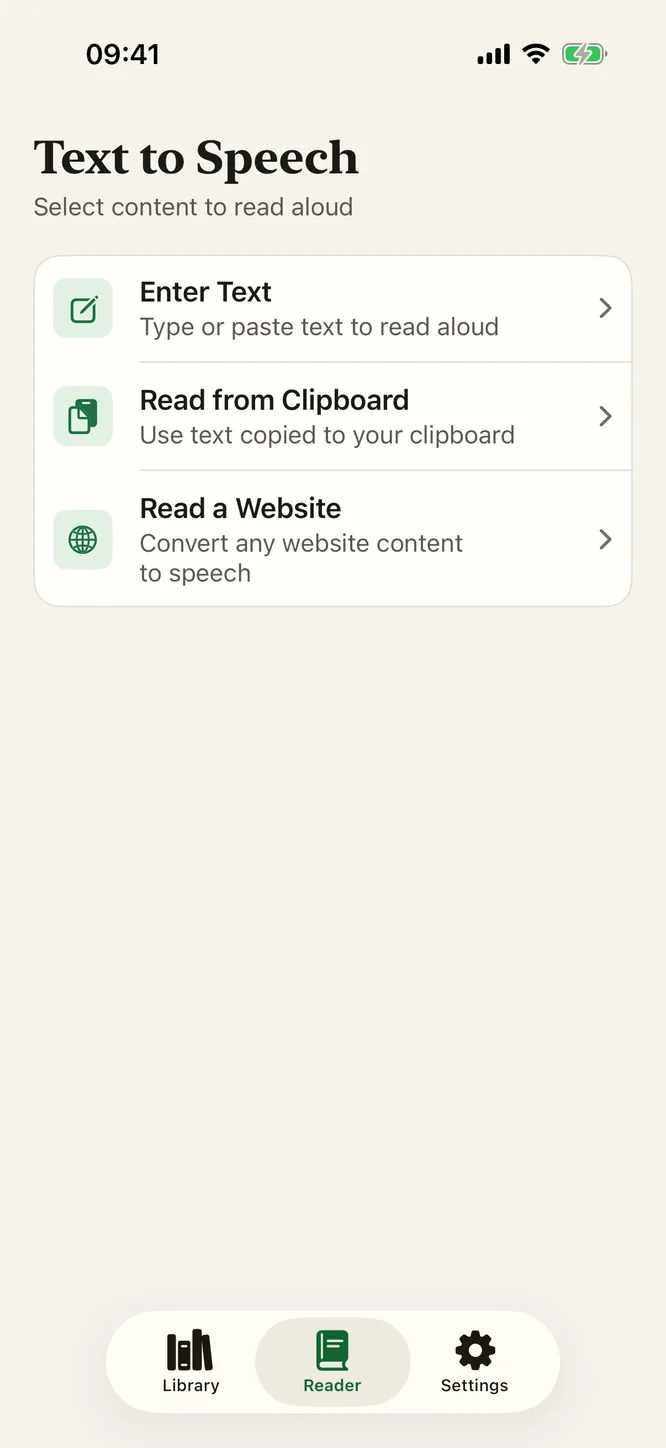
Yes. EPUB, PDF, TXT, RTF, Markdown and HTML files, pages you scan with the camera, typed or pasted text and your clipboard all work with no connection, in all 41 voices. The only thing that needs signal is adding a new web page, since the page has to be fetched before it can be saved and spoken.
A reader that works when nothing else does
Offline text to speech that is actually offline: the model is on your phone, the audio is made on your phone, and your books never leave it. Free, no account, 41 voices in six languages, iPhone and iPad on iOS 18.2.
iOS 18.2 or later · iPhone 12 or later & iPad